
ContainerUI
A native Mac app for Apple's container tool. Run Linux containers, search Docker Hub, browse images, manage volumes and networks, and control the background service — all from one window.
 ContainerUI
Live demo · filter, hover a row to reveal its command
A thin layer over the CLI
ContainerUI doesn't reimplement anything. It shells out to the supportedcontainer CLI and decodes its --format json output — so it tracks the documented command surface, not private APIs, and keeps working acrosscontainer releases instead of breaking on internal changes.
The whole toolset, one window
Containers, images, Docker Hub search, volumes, networks, and the background service — each a first-class screen, with the actions you'd reach for and the touches that make it feel native.
Containers
Every container, running or not, in one list.
- List all containers, or just the running ones
- Watch live CPU, memory, and IP
- Inspect, then start, stop, restart, kill, or delete
- Stream logs and exec into a shell
- Open a shell in your own terminal — one click
- Launch a new container from a full run form
Images
Browse what you can run, and pull what you can't.
- List local images
- Inspect config, env, layers, and platforms
- Pull with streaming progress
- Tag or delete an image
Explore
Search Docker Hub and pull without leaving the app.
- Search Docker Hub by name, instantly
- Stars, pulls, and official badges at a glance
- Browse a repo's tags — sizes, platforms, dates
- Pull any tag straight into your images
System
The background service, in plain view.
- Check service status and tool versions
- Read disk usage
- Start or stop the system service
- Auto-detect the
containerbinary, or set a custom path - See a clear state when the tool isn't installed
Drop into an interactive shell in your own terminal — Terminal, iTerm2, Ghostty, Warp, kitty, Alacritty, or WezTerm — straight from any running container.
List and inspect volumes, create them with a size and labels, then delete or prune the rest.
See networks with their subnets and gateways, and create, delete, or prune them.
Jump to any screen or fire an action without leaving the keyboard.
CPU and memory plotted in real time for every running container.
Backend status and quick controls, one click from the menu bar.
Run the whole stack, not one container
Point ContainerUI at a Compose file and it becomes a project: every service previewed, every incompatibility surfaced up front, one click to bring it all up. Powered by the optional Container-Compose backend — no Docker daemon in sight.
- Import a compose.yaml — read-only, nothing starts until you say so
- Preview services, build contexts, ports, dependencies, and profiles before you run
- Compatibility diagnostics block a start on fields the backend would silently ignore
- Start, rebuild, or stop the stack; Inspect, Logs, and Console on every service
- Stops only containers carrying the project's ownership label — never a prefix guess
- Named volumes and bind mounts survive a recreate; file references persist across launches
Partial Compose support today — one file per project, no restart policies, secrets, or multi-file merging. The compatibility contract spells out exactly what's passed through and what's blocked.
Bring your private images in
Sign in to your private registries, then pull from them like anything else. When you reach for an image on a registry you haven't signed in to, ContainerUI catches it — and puts the login one click away.
- Sign in to ghcr.io, Amazon ECR, Google Artifact Registry, or a registry you host
- Pull private images with the same streaming progress as any other
- A heads-up the moment you pull from a registry you're not signed in to
- Your token goes straight to the container tool over stdin — the app never writes it to disk
Every surface
Containers, images, volumes, networks, and system — plus Explore, the new Docker Hub search, and the ⌘K command palette.
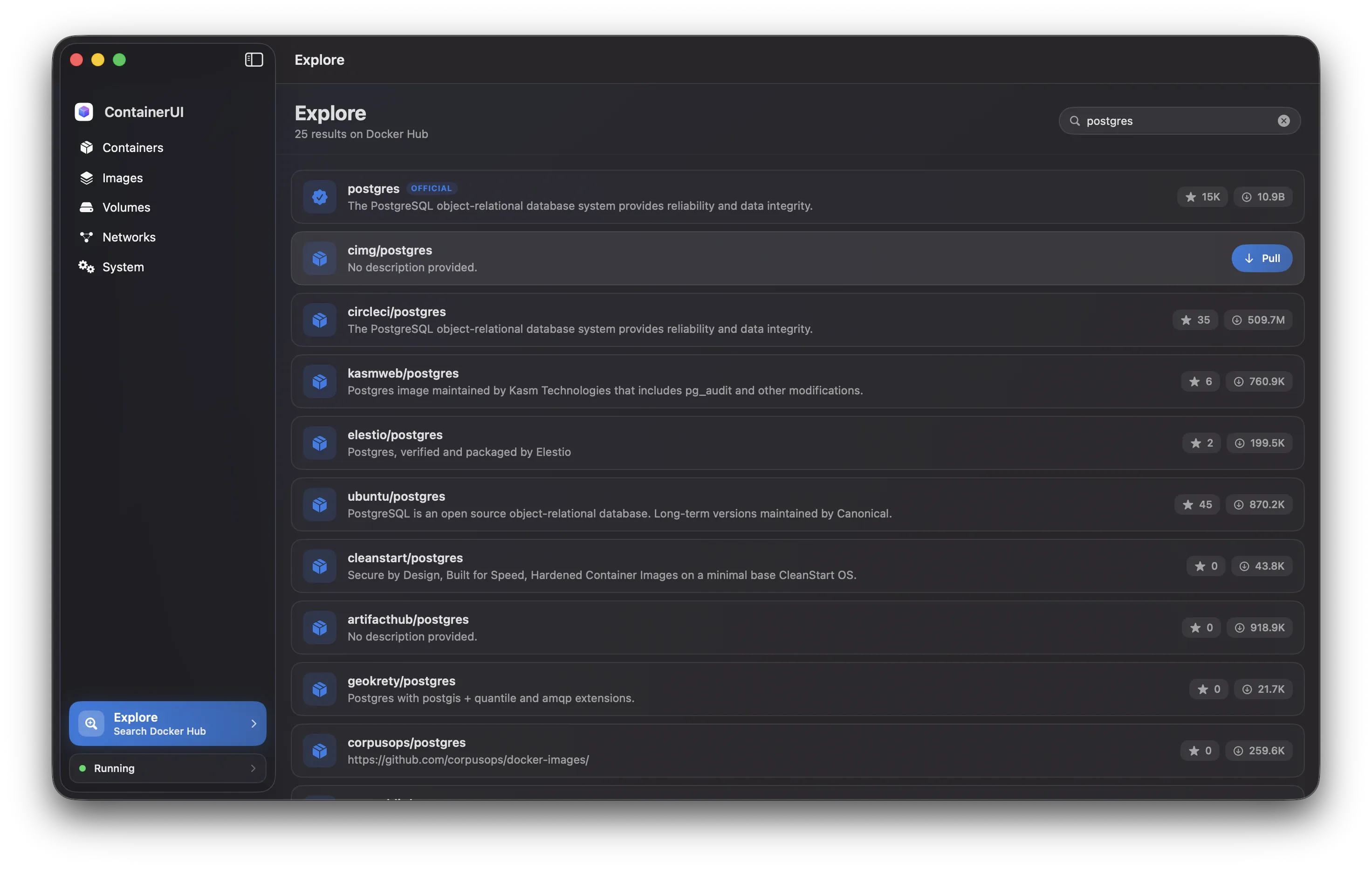
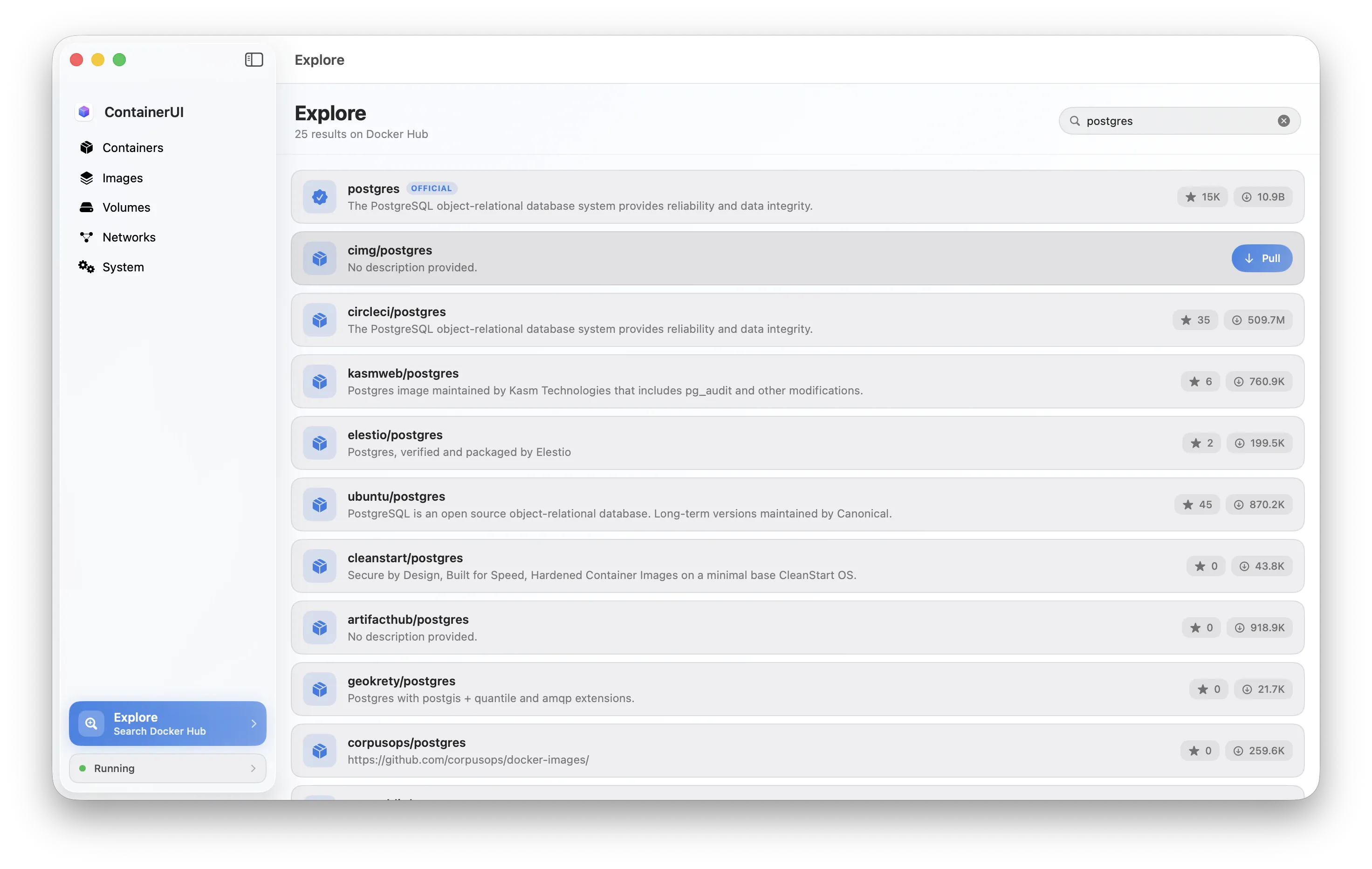
Explore · search docker hub
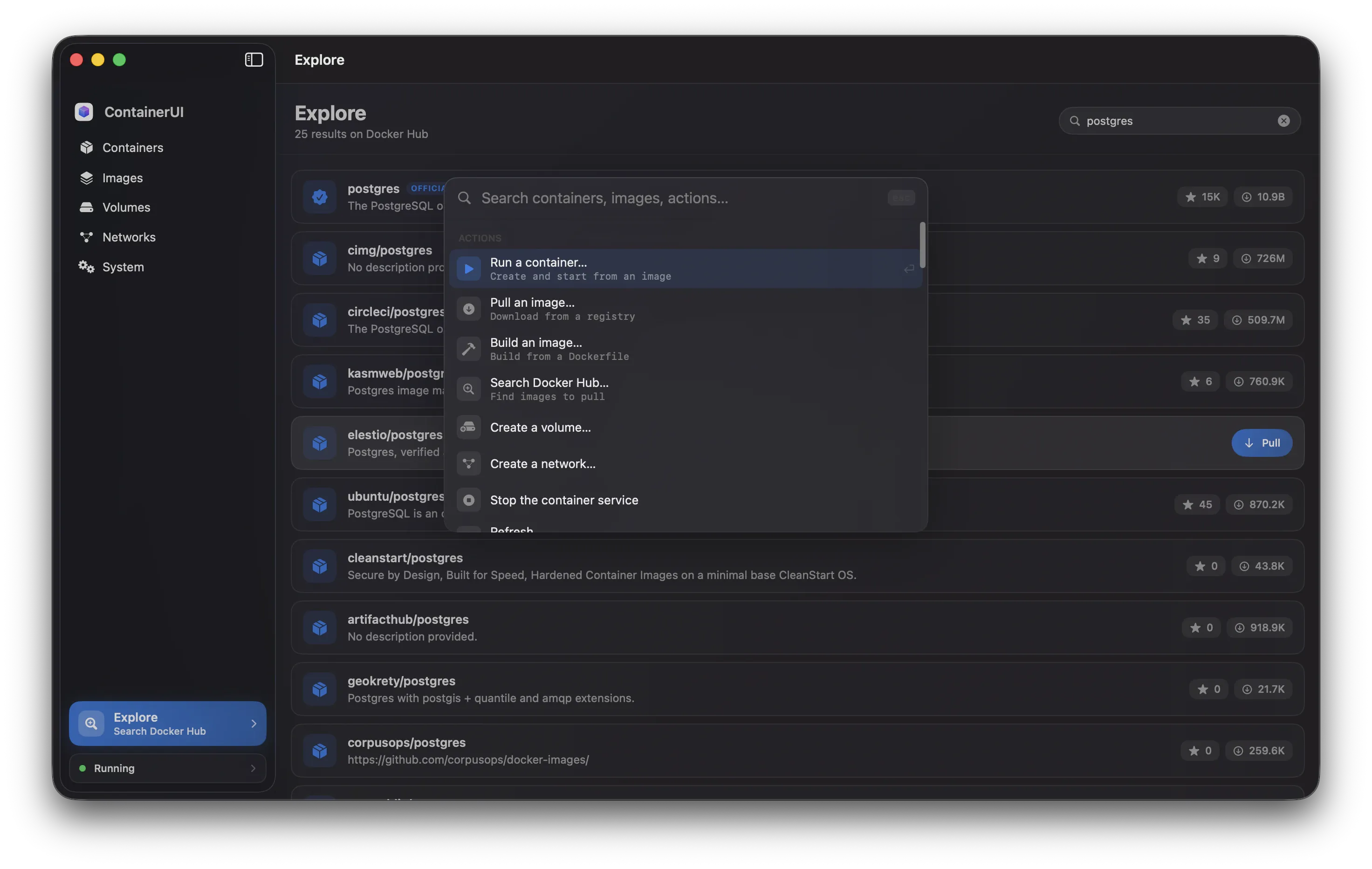
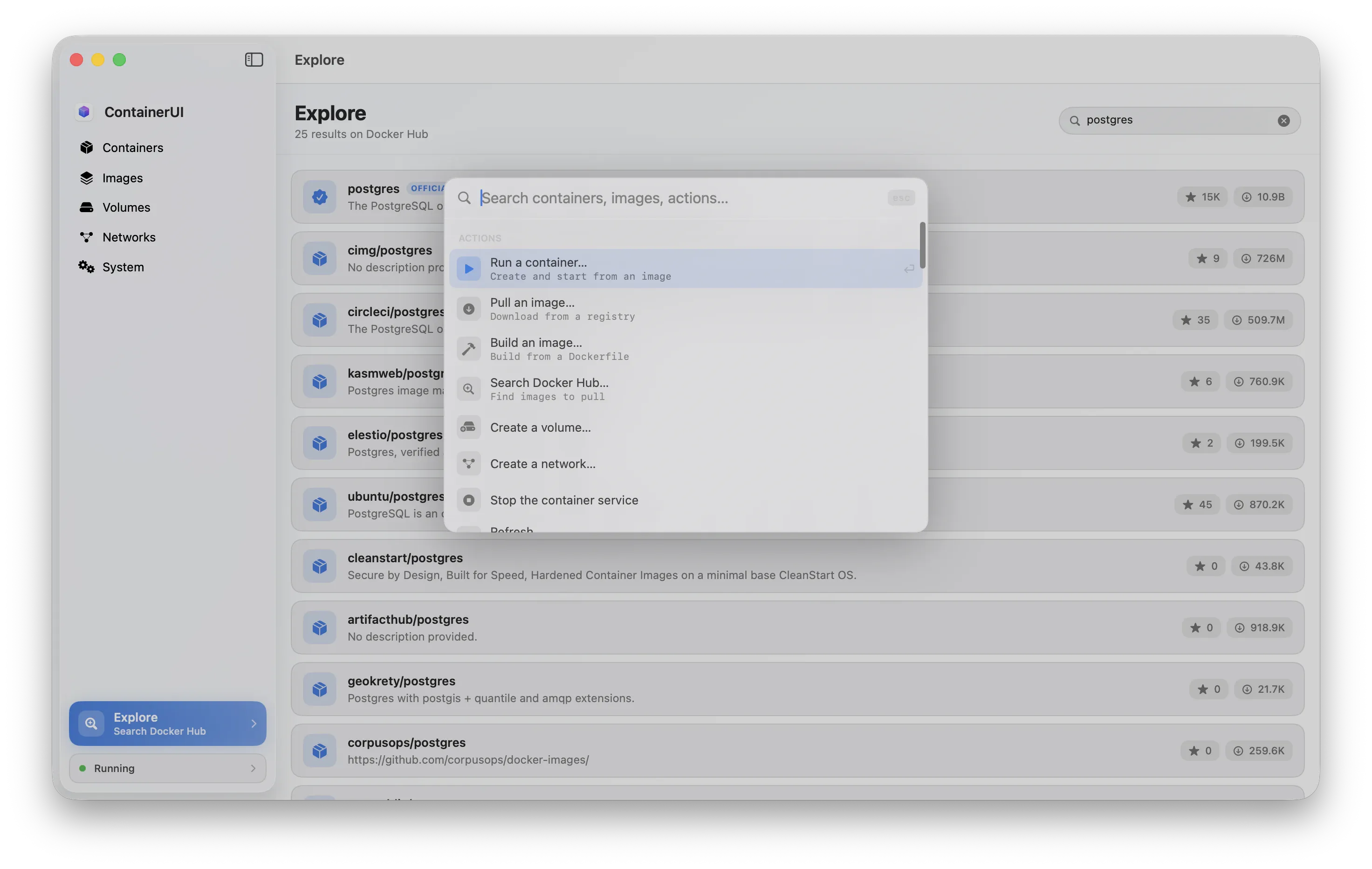
Command · ⌘K
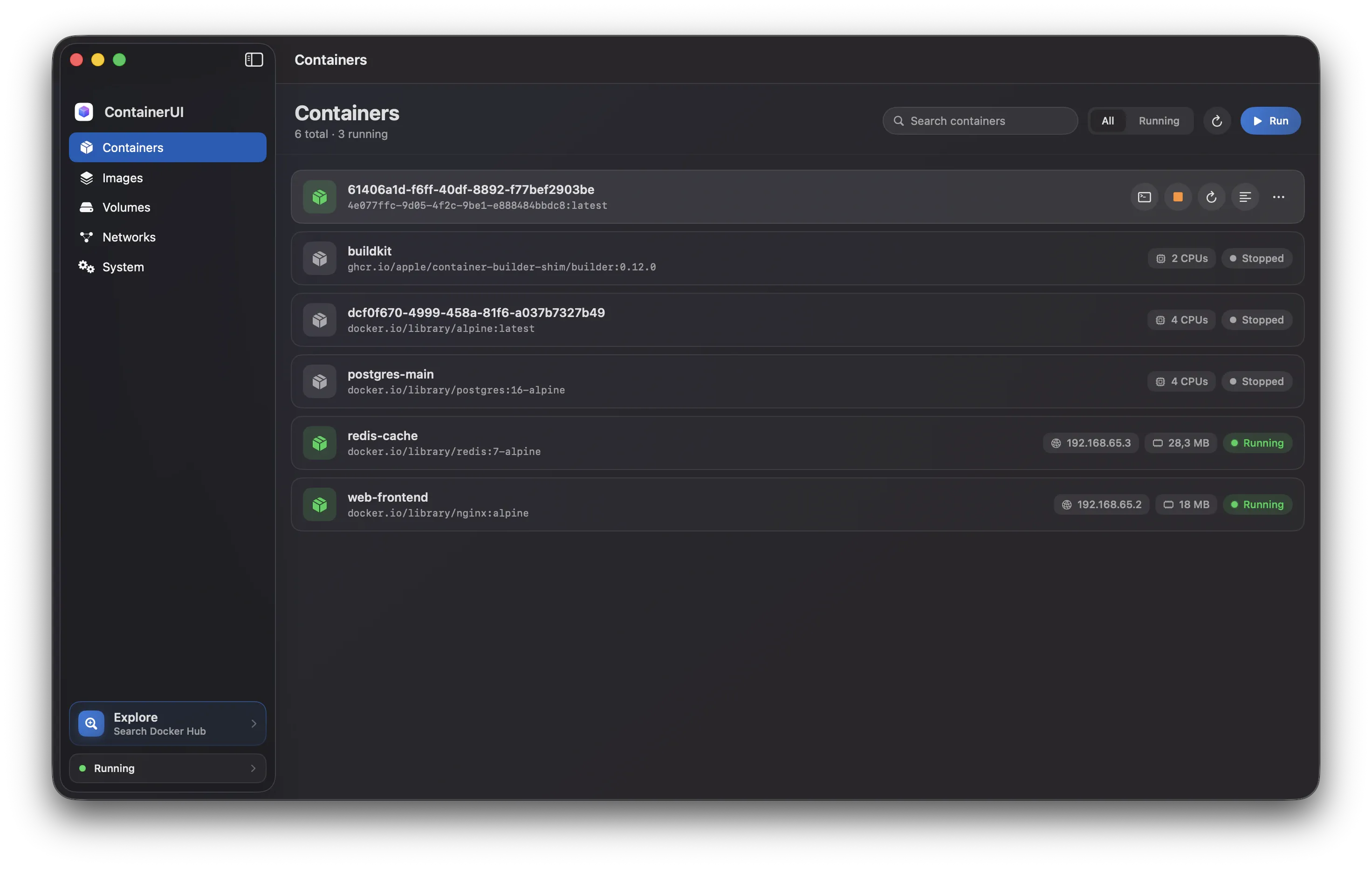
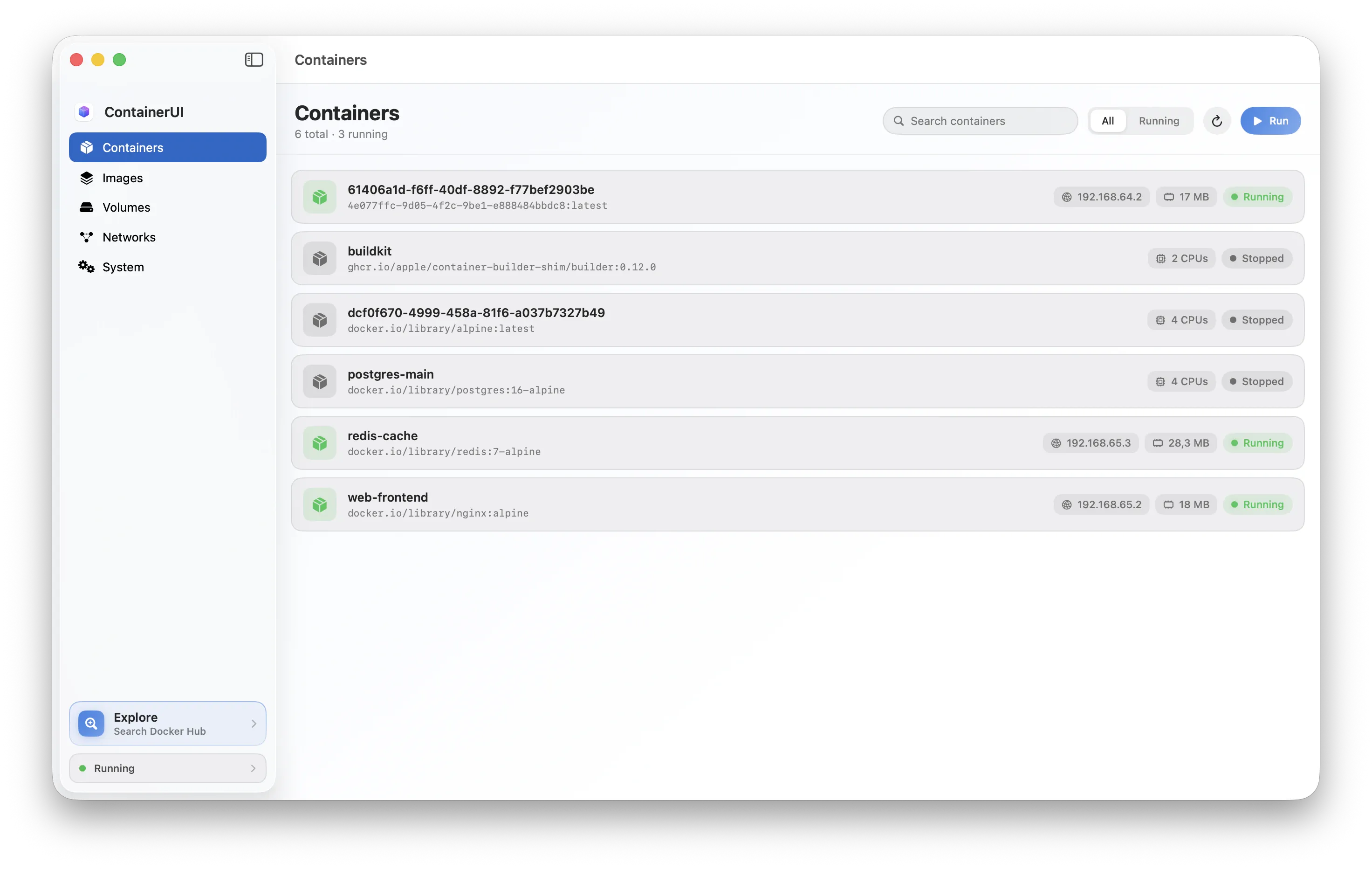
Containers · container list
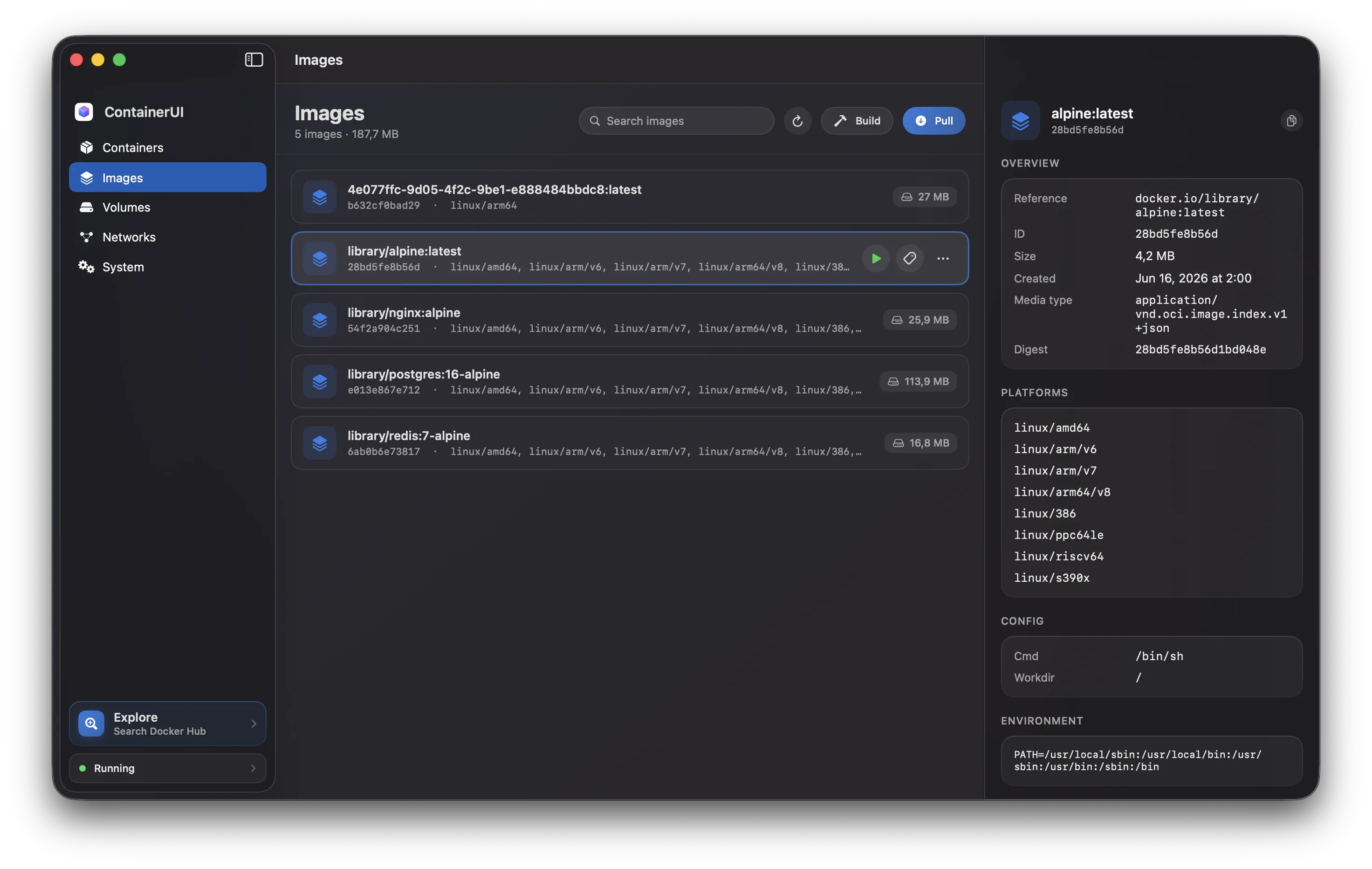
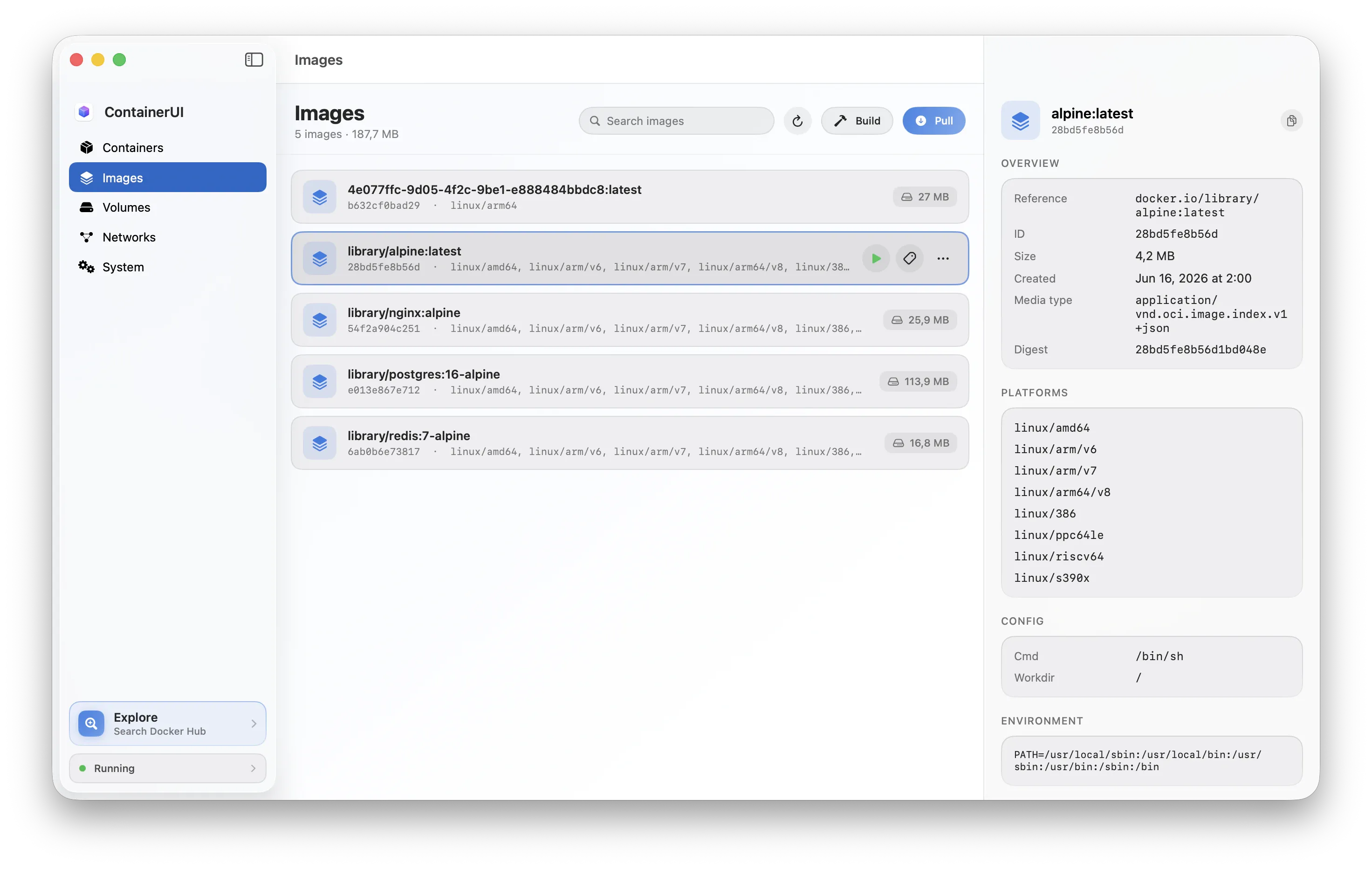
Images · container image
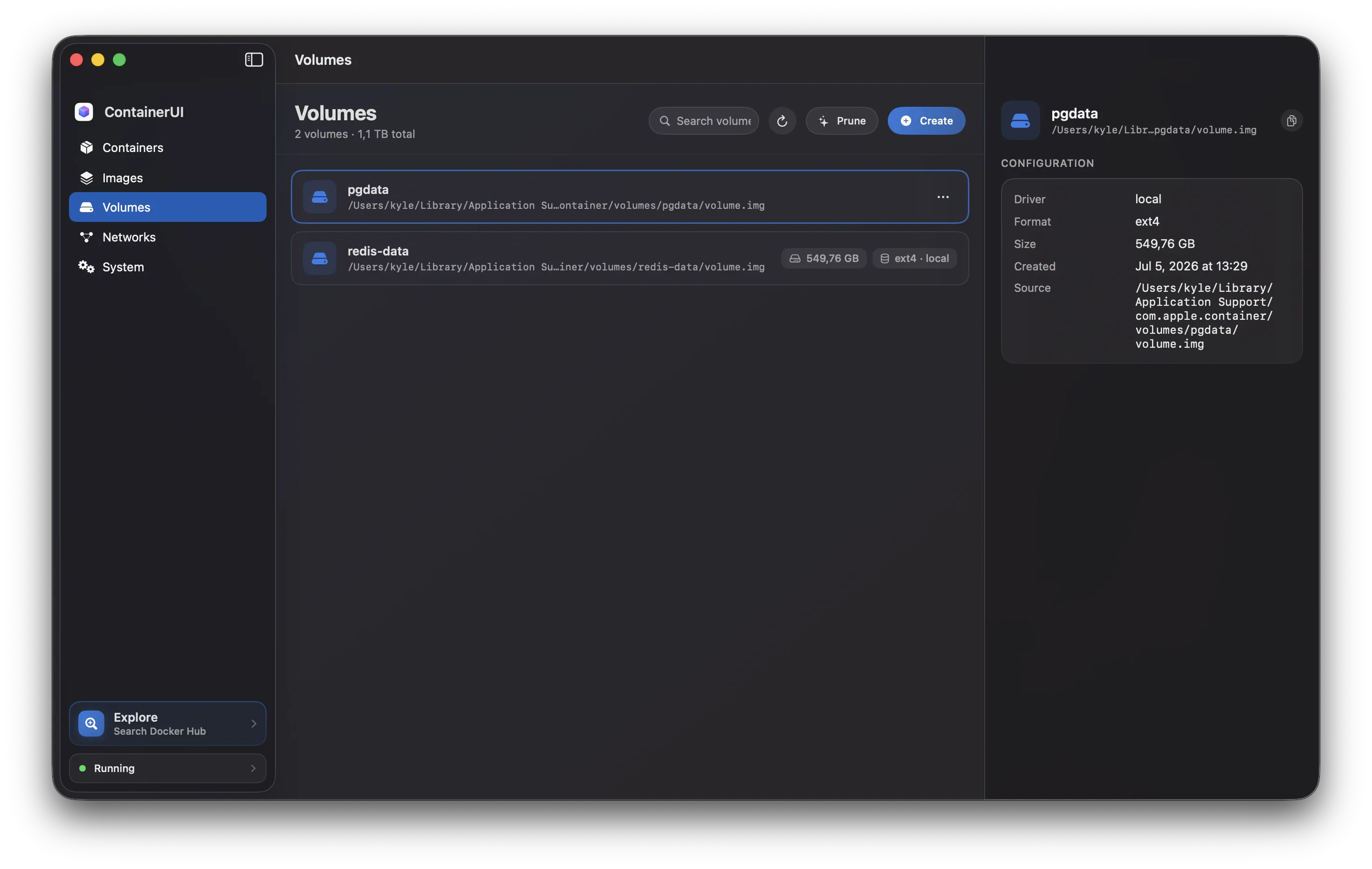
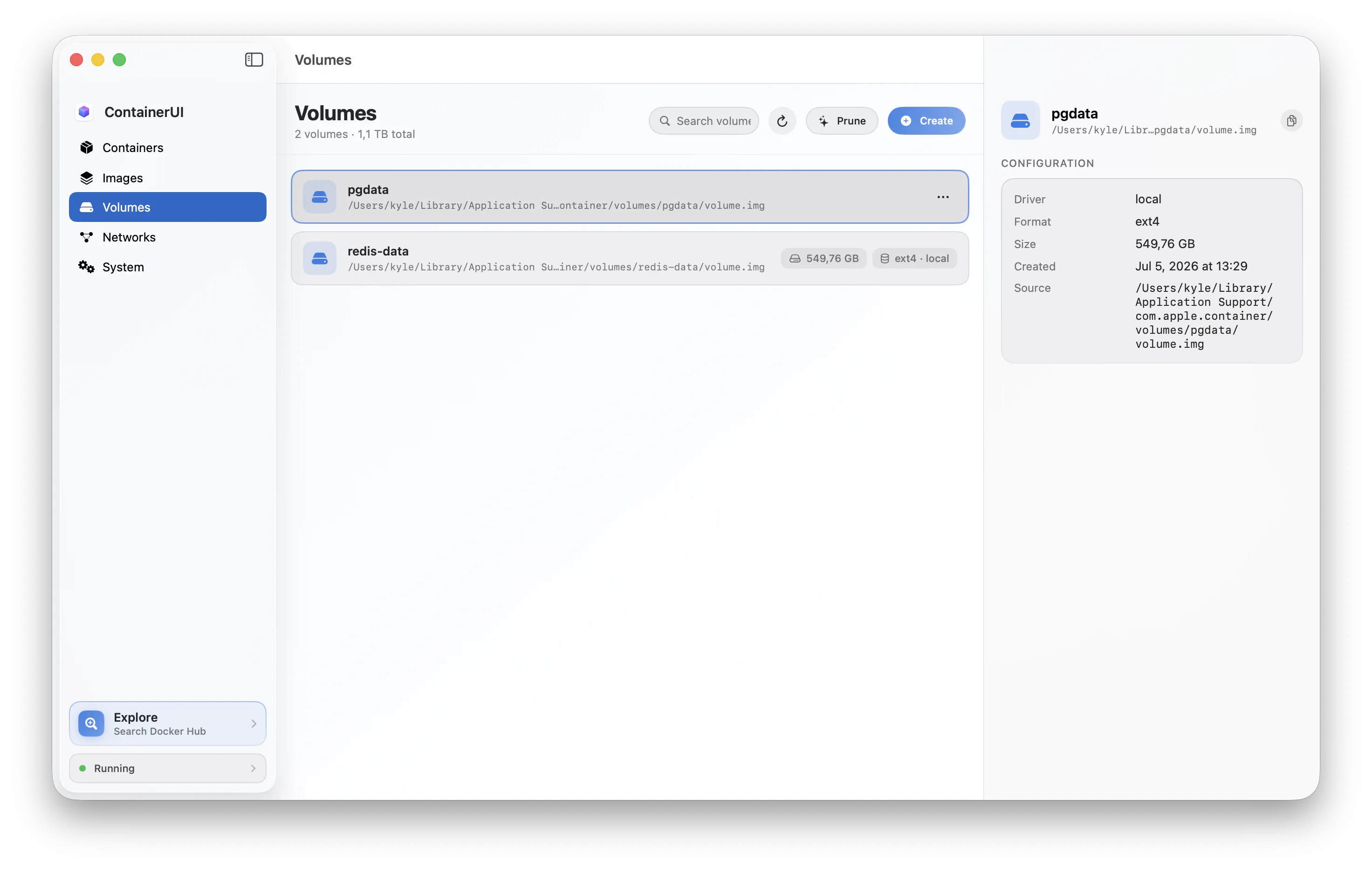
Volumes · container volume
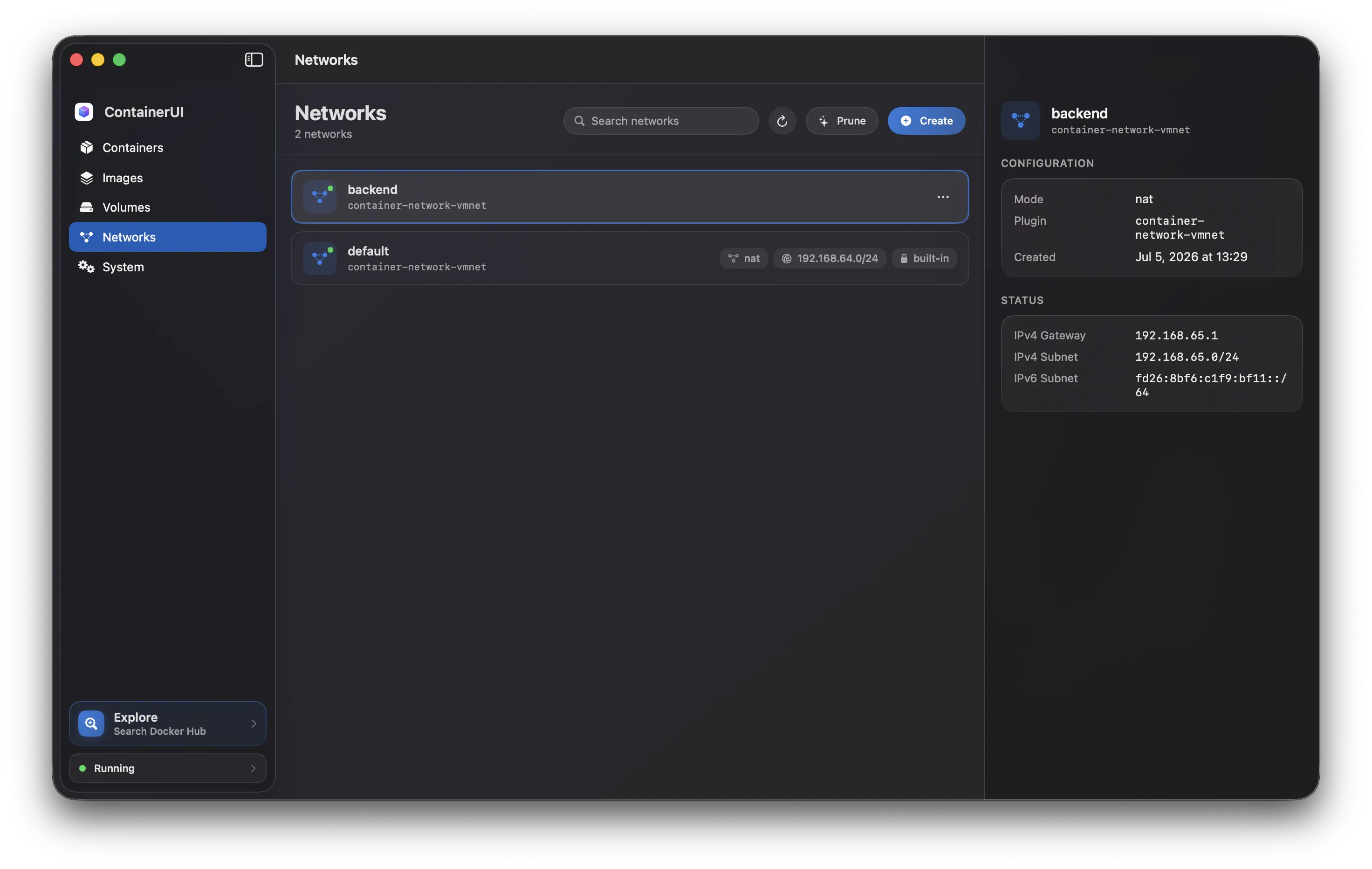
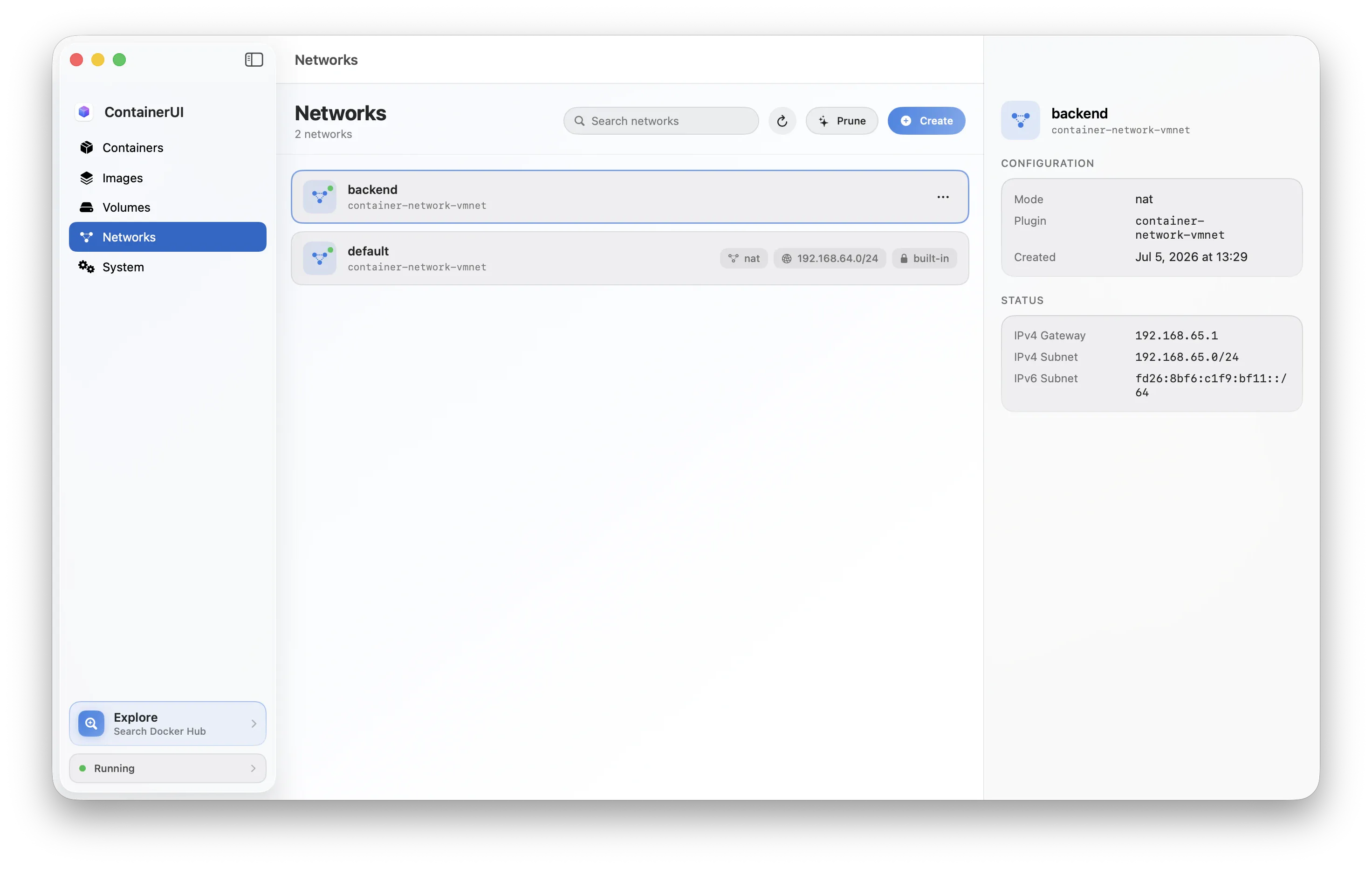
Networks · container network
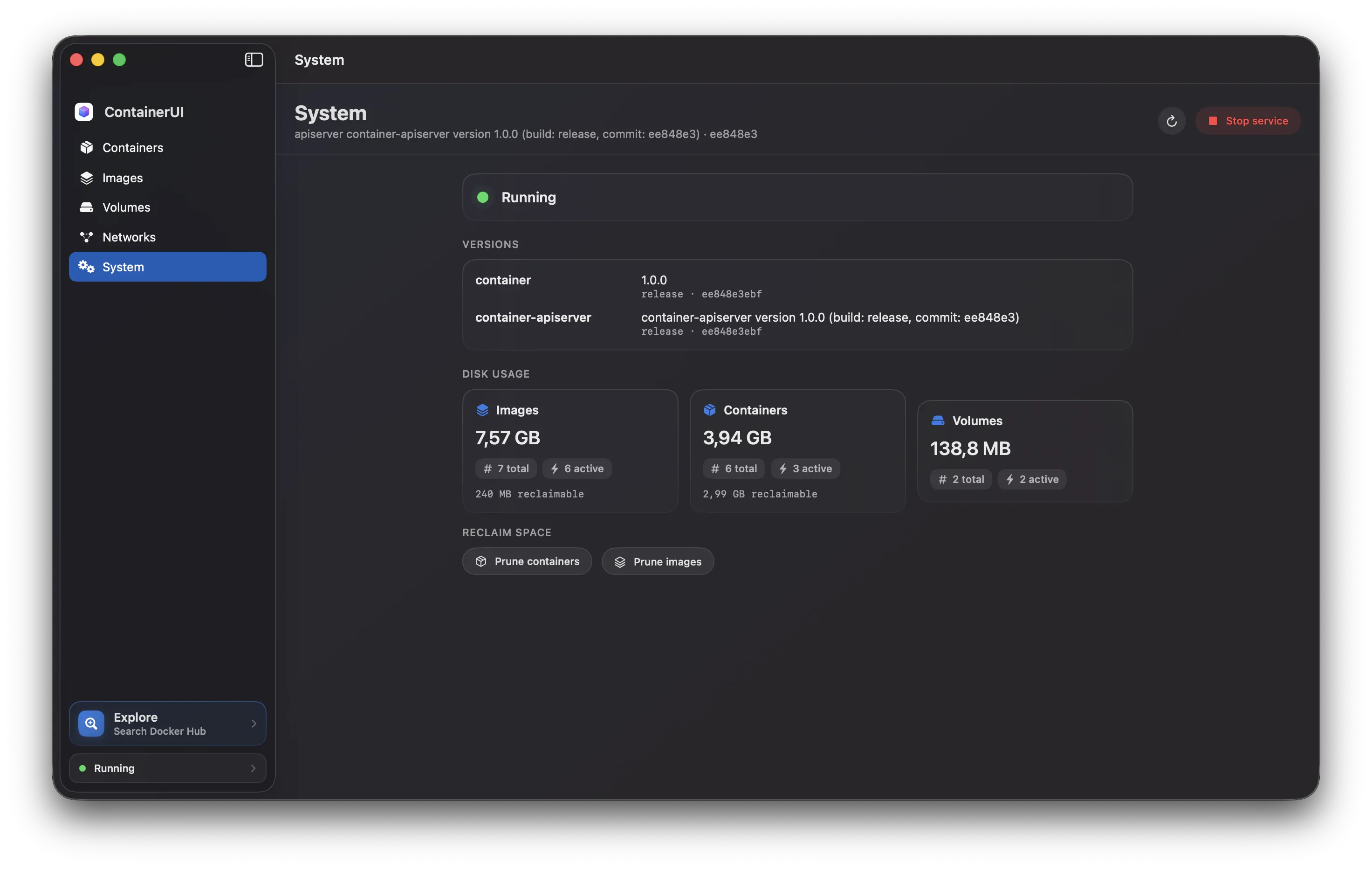
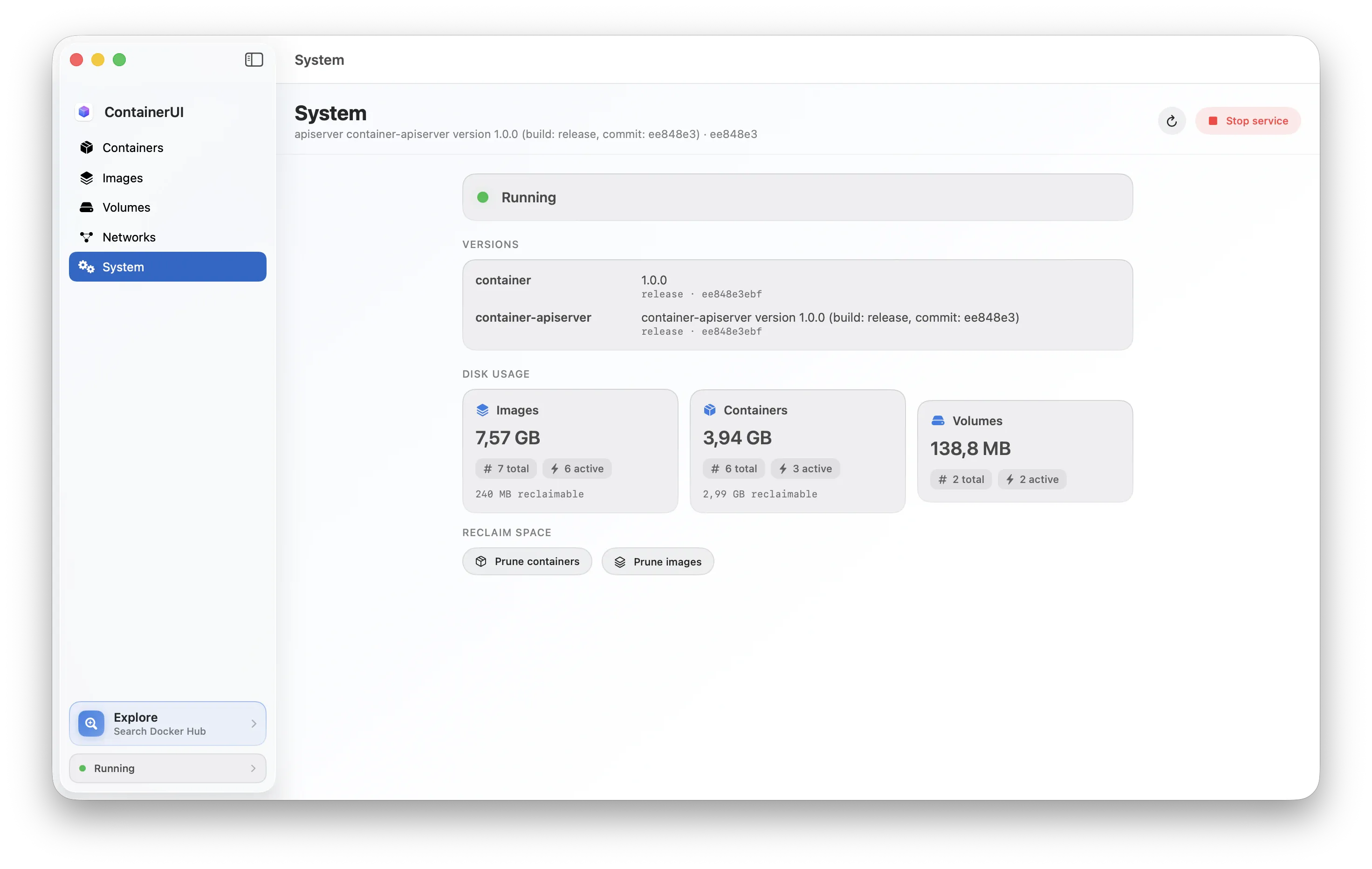
System · container system
One small, testable seam
Every action follows one path. Views observe view models, which call services that build exact commands through ContainerCLI, CommandRunner, andProcess. Swap in a mock at that seam and the whole app is testable without a backend.
Why shell out to the CLI?
The container project's Swift packages are API-stable only within a patch version, and talking to its XPC apiserver directly needs matching entitlements and tracks internal changes. The CLI is the documented, stable surface, and almost every read command supports --format json. So the app calls the CLI.
Tested at the seam
Host-less logic tests compile the UI-independent core and exercise it with a mock runner and recorded fixtures — fast, headless, and honest about the exact commands it builds.
ContainerUI vs Orchard
Both are native, open-source Mac apps for Apple's container. Here's how they line up — ContainerUI leans on the thin CLI layer; Orchard links the Swift packages and talks to the apiserver directly.
container viaOrchard is a well-built app with more breadth today. ContainerUI's bet is the documented CLI — the surface Apple keeps stable across releases — for a smaller, faster app that tracks the tool as it ships.
Download and run
Grab the DMG for the quickest start — or build from source with Xcode. Either way you'll need macOS 26 on Apple silicon, the same as container. On macOS 14 the app still launches, straight to a clear "not installed" screen.

container isn't installed
Couldn't find Apple's container command-line tool. Install it, then point the app at the binary.